
Copyright © ViserLab 2023
LocalCoins is one of the best P2P crypto exchange software solution in CodeCanyon. This is a virtual marketplace for digital money, connecting buyers and sellers and providing tools to enable seamless and honest chat and exchange.
The documentation will help to understand the total system and we have tried to summarize the total process of the site here. This script comes with a very simple and easy-to-use admin panel, user panel which leads to use without any coding knowledge.
If needed, we will update this script continuously and come with new features and security patches. We will try to give the best user experience to all of our clients.
Thank you for purchasing LocalCoins. If you have any questions or queries that are not answered in this document, please feel free to contact us via email. We will try to respond to you as soon as possible. Thank you so much.

Do I need VPS or a Dedicated server to run this system?
No, You can run this system in a shared host as well and it will run smoothly. But if you have much traffic, you may need to upgrade your server/hosting. Our codes are highly optimized to ensure the best possible performance.
Which hosting provider should I choose for this? Do you have any suggestions?
You can choose any hosting provider that provides cPanel-based hosting. cPanel is not a must, but we recommend you to have cPanel-based hosting.
I don't have cPanel, What should I do?
Nothing to worry about, Our system will work with any control panel but cPanel is easy to manage, for that we recommend cPanel-based hosting. Also, Our free Support is limited to cPanel-based hosting only.
Do you provide hosting as well?
Yes, We do. We can provide a complete solution for your hosting. We can provide budget shared hosting, premium shared hosting, VPS, Dedicated servers, and Cluster from various geolocation. Please contact us for more details.
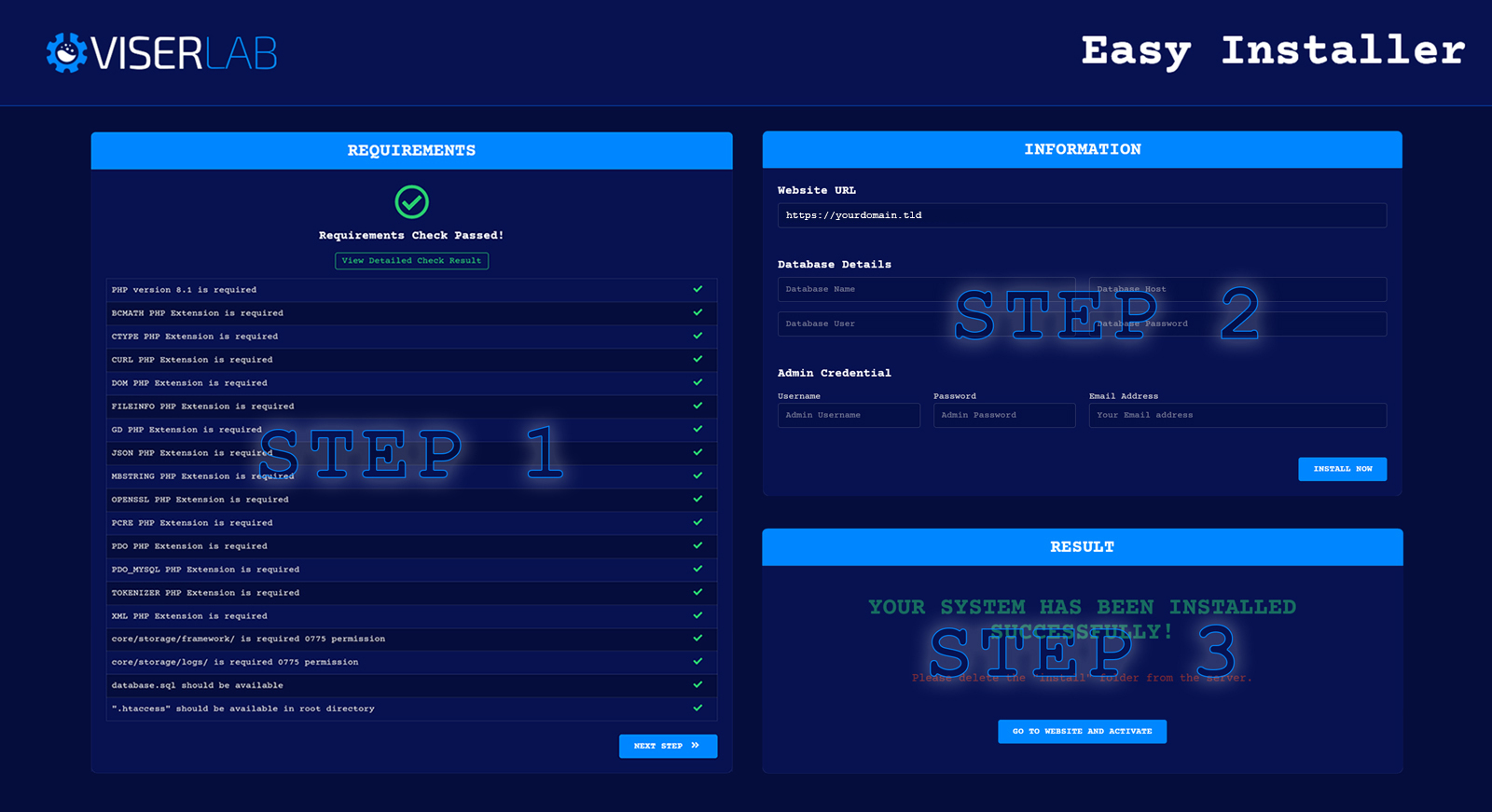
Installation is very easy with our Easy Installer. You can install yourself simply in few steps without any coding knowledge. We develop our installation system to make the installation process flawless and easy.
Installation Steps:
Upload the whole file to the server you have downloaded from download after purchase.
Extract/Unzip the file and move all files in the Files folder to the main
folder(where you want to install it). Make sure you have moved the index.php and
.htaccess as well.
Now please browse http://your-site-url/install/index.php and follow
the process. Your system should be ready to use.
If you are still unable to install the system, please contact us. we offer free installation in cPanel-based hosting.
Admin Login:
your-site-url/admin
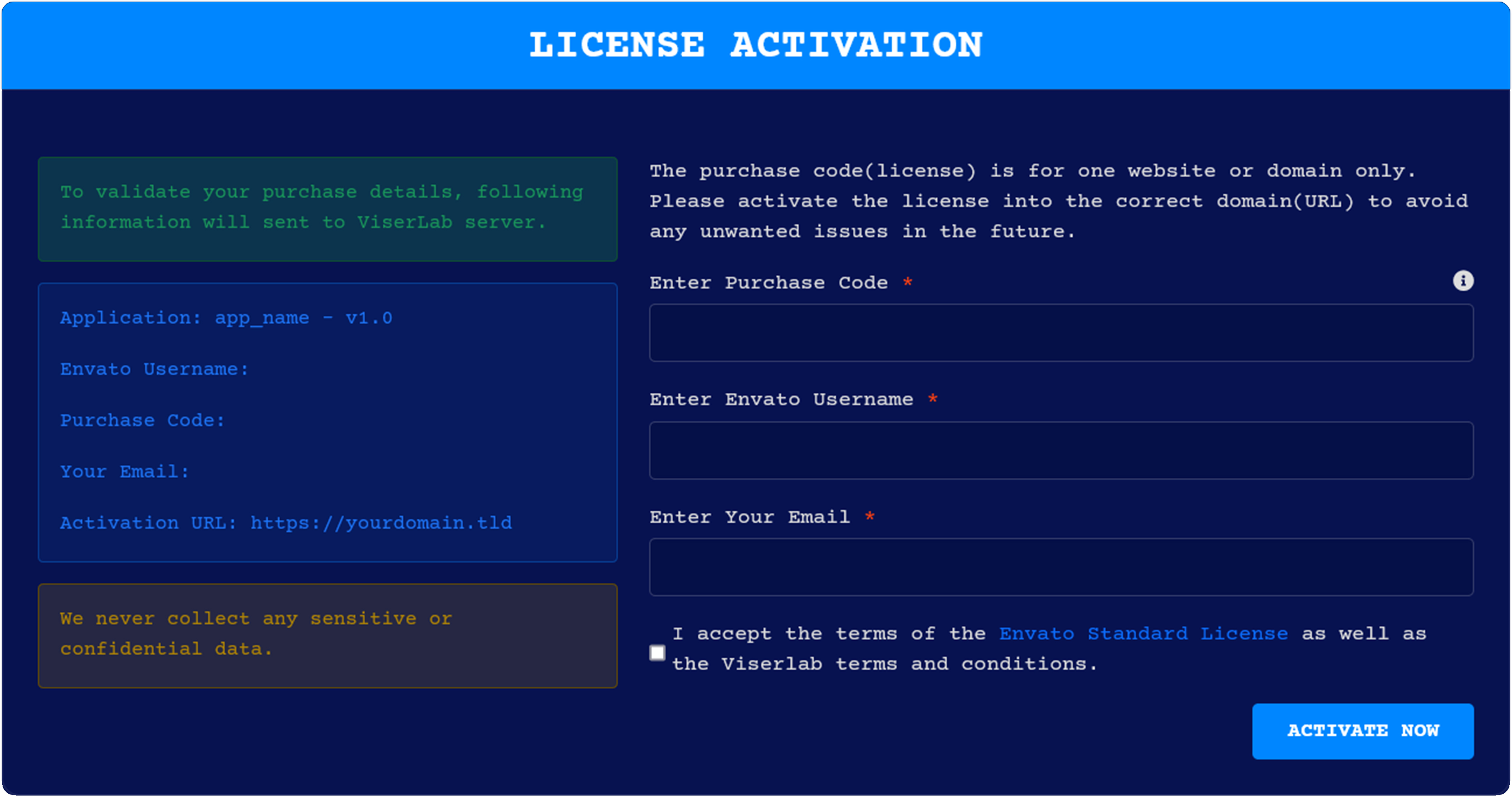
After installing the system you need to activate it. When you visit the system, you will be able to see the activation page. Just provide this information to activate and run your system. Your provided information will send to ViserLab server to verify and we never collect any sensitive or confidential data.
Purchase Code: To get purchase code Click Here.
Envato Username: Your Envato username with which you bought system.
Email: Provide your email for further communication.
The purchase code(license) is for one website or domain only. Please activate the license into the correct domain(URL) to avoid any unwanted issues in the future.
After installation, There will be two folders and two files will be in your main folder.
On the "assets" folder, We keep all kinds of assets like CSS, JS, Images. If you want To edit or change anything over CSS or js, please have a look at this folder.
On the "core" folder, We keep the core of Laravel and we maintain full MVC structure on this project.
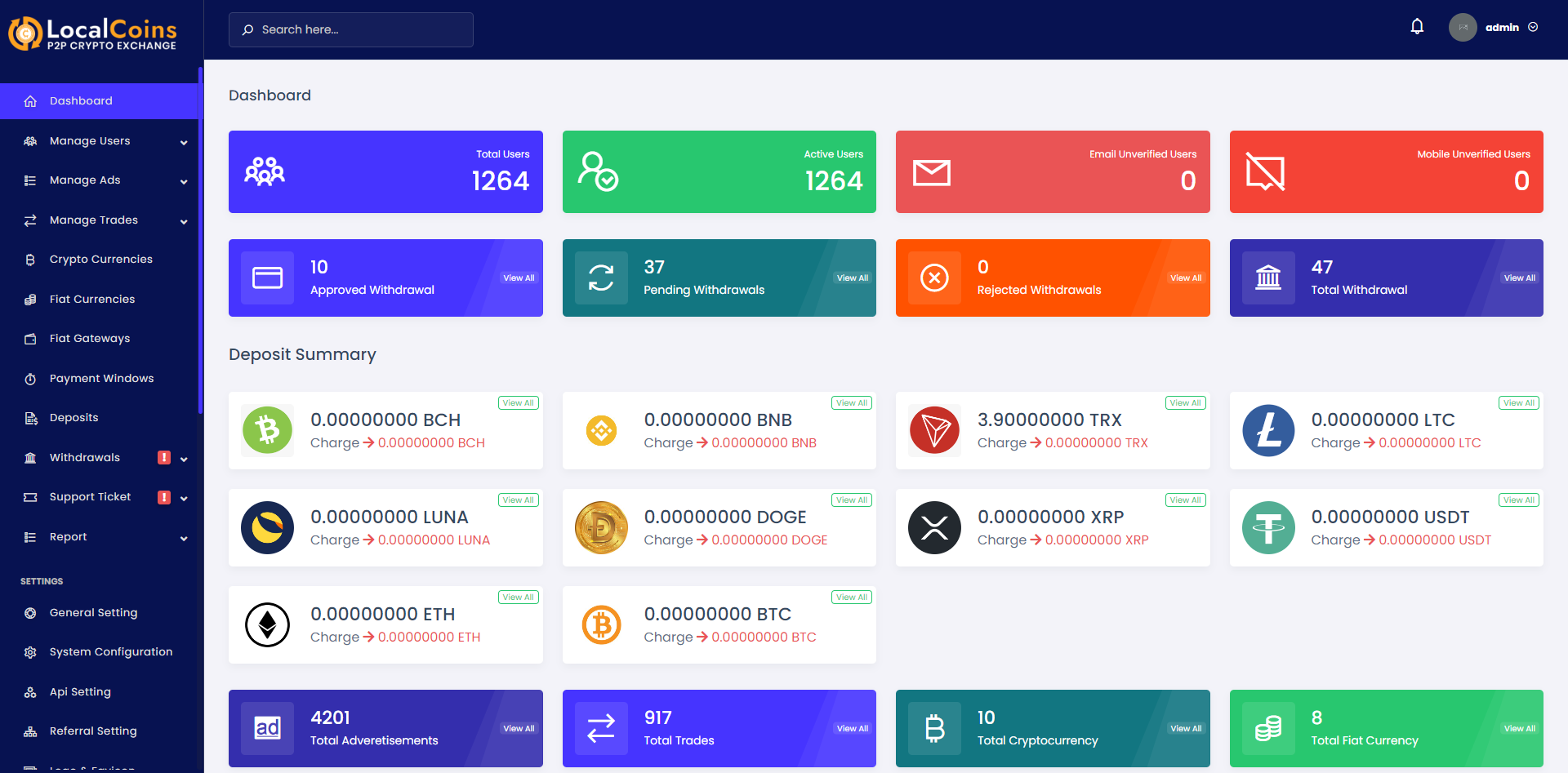
The items come with the latest secure admin panel with a unique Admin Dashboard. You can check all information and process by login on to your dashboard. You can manage all the basic information from here where the website is managed.
You'll be able to see a full overview of your system from this dashboard like how many users you've, Deposit summary, Withdrawal summary users etc.
Note: You can manage everything from this dashboard! No need to edit any code or database.
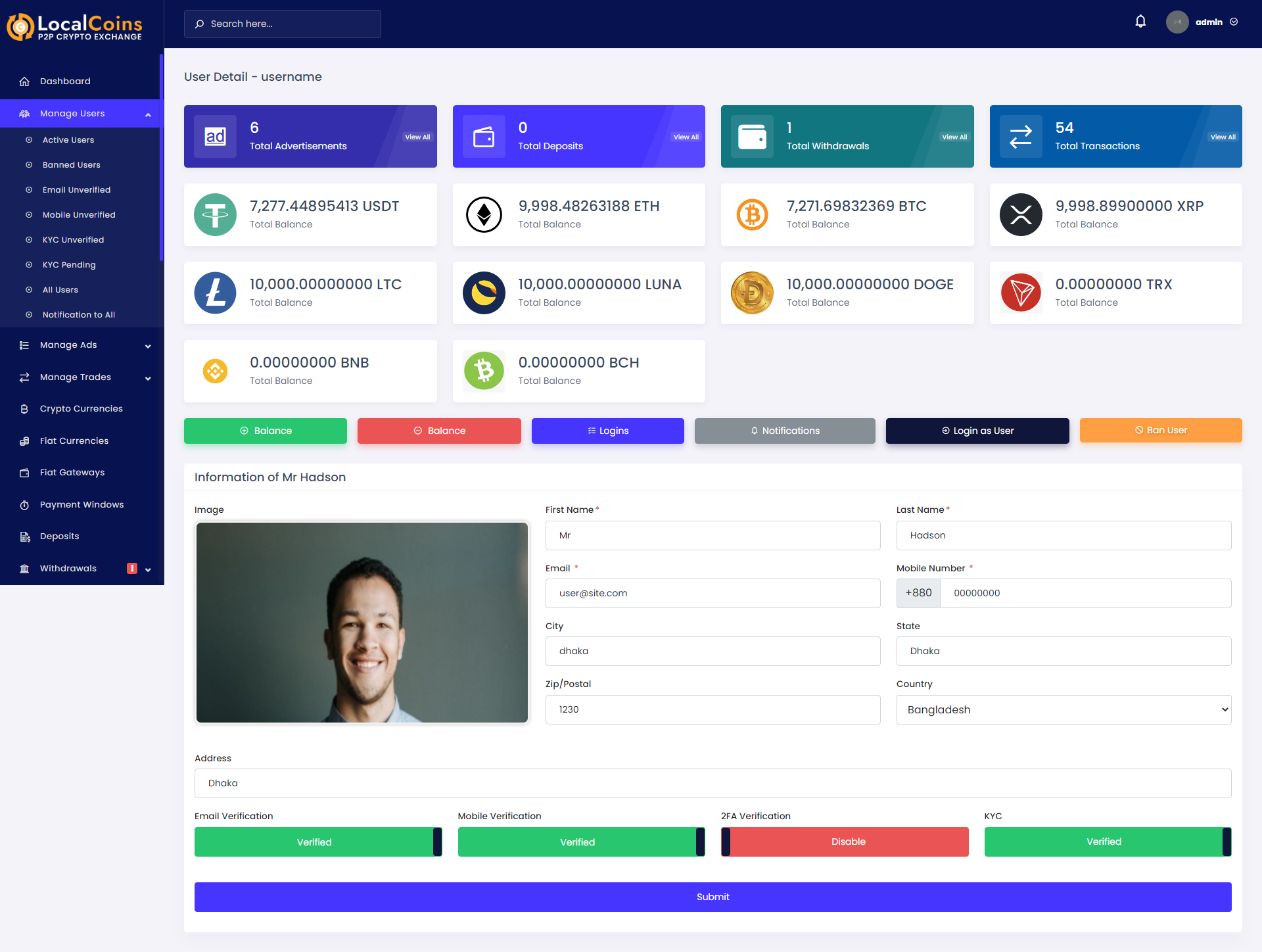
Users are able to create or edit offer/advertisements from their dashboard. From Manage User menu you can see the users list of Active Users, Banned Users, Email Unverified Users, Mobile Unverified Users, KYC Unverified Users, KYC Pending Users.You can manage your users like update their information, notify them, view their login history, and ban them from the system from their details page. Also you can send notification to all users.

In user details page you can get an overview about the users like how many advertisement, how many deposit, how many withdrawals, and total transactions of the users. Admin is able to update user information and can add/subtract balance, view login history, ban the users from this details page.
In Manage Ads there are tow sub-menu:
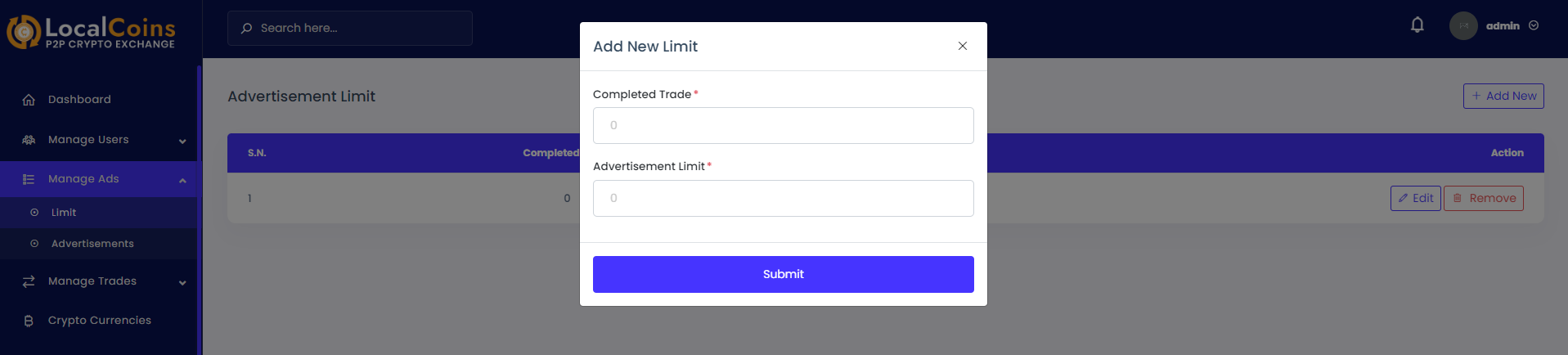
Advertisement limit refers to how many advertisements a user can create. Admin can decide how many offers can be made after completing how many trades.
In this menu admin can see the advertisements/offers created by the users of this system. Also admin is able to enable or disable advertisements.
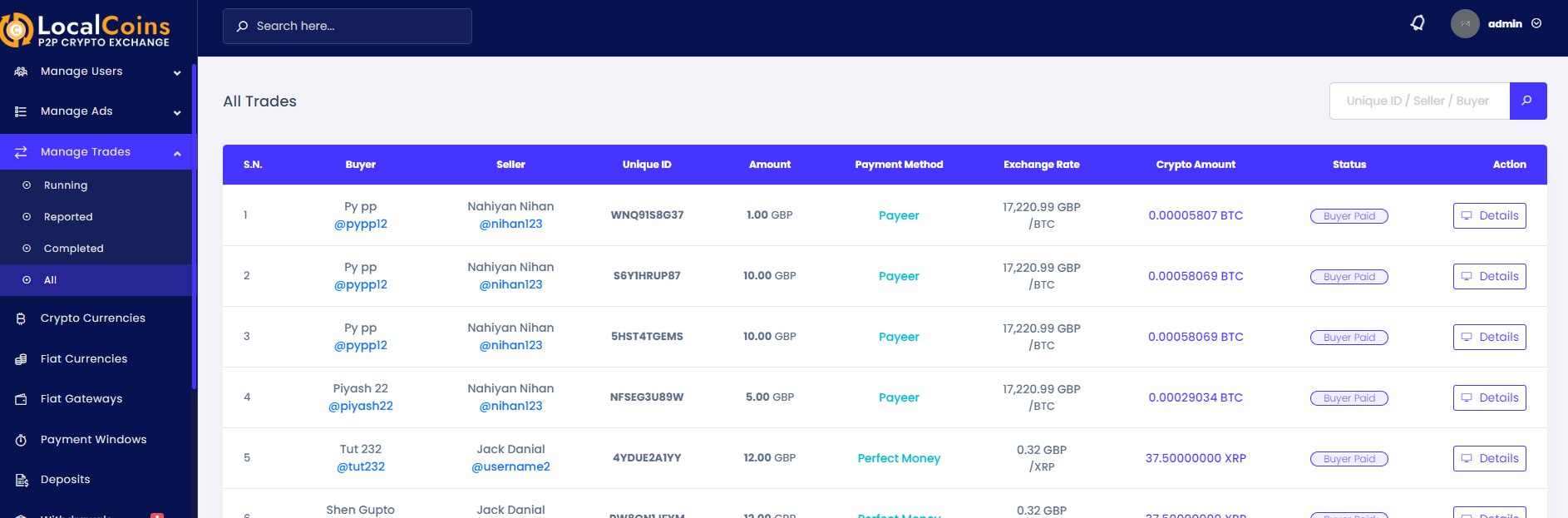
From the Manage Trade menu admin can see the trade list of users.
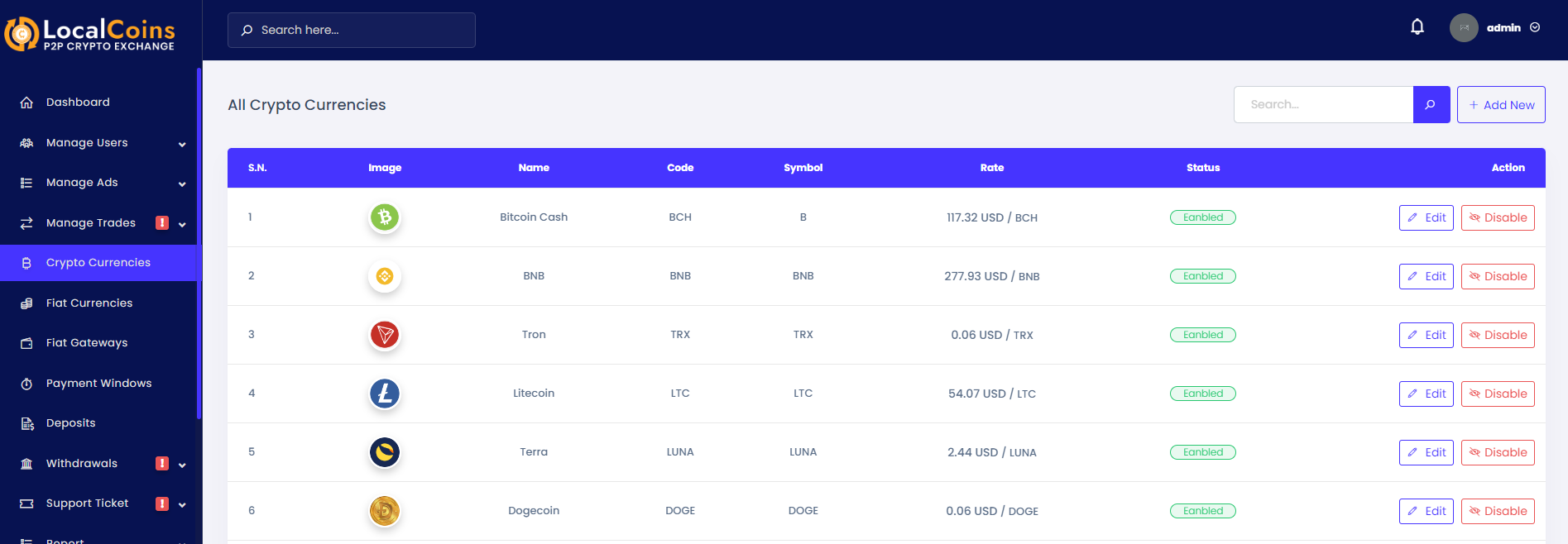
From the Crypto Currencies menu admin can add or update the cryptocurrencies that users can buy or sell. Also admin is able to enable/disable a cryptocurrency.
For each cryptocurrency, the admin is able to set deposit and withdrawal charges. The charges will apply to users' deposit or withdrawal.
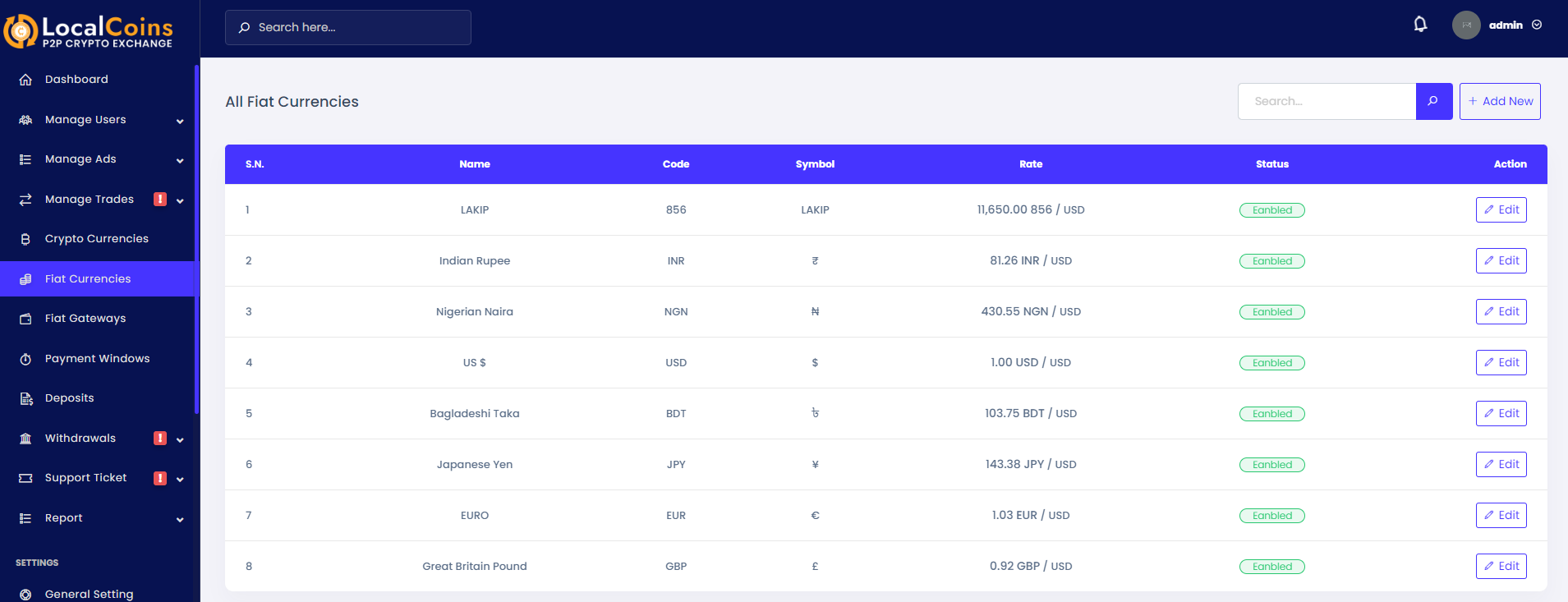
From the Fiat Currencies menu admin can add or update the fiat currencies so that users can buy/sell crypto in return for the fiat currencies. Also, the admin is able to enable/disable a cryptocurrency.
From the Fiat Gateways menu, admin can add or update the fiat gateways by which users can pay the fiat currency amount while trading.

From the Payment Windows menu, admin can add or update or remove payment windows to use while creating or updating a advertisement by user. All payment windows values are in minutes unit that refers as long as the payment has to be completed within the time.
From the Deposits menu, admin can see the deposit history and details deposited by the users. Also admin is able to search deposit data by the transaction number or username.

From the Withdrawals menu, admin can see the withdrawal request and withdrawal history by the users. Also admin is able to search withdrawal data by the transaction number or username.
Note: Admin need to approve pending withdrawal from the details page.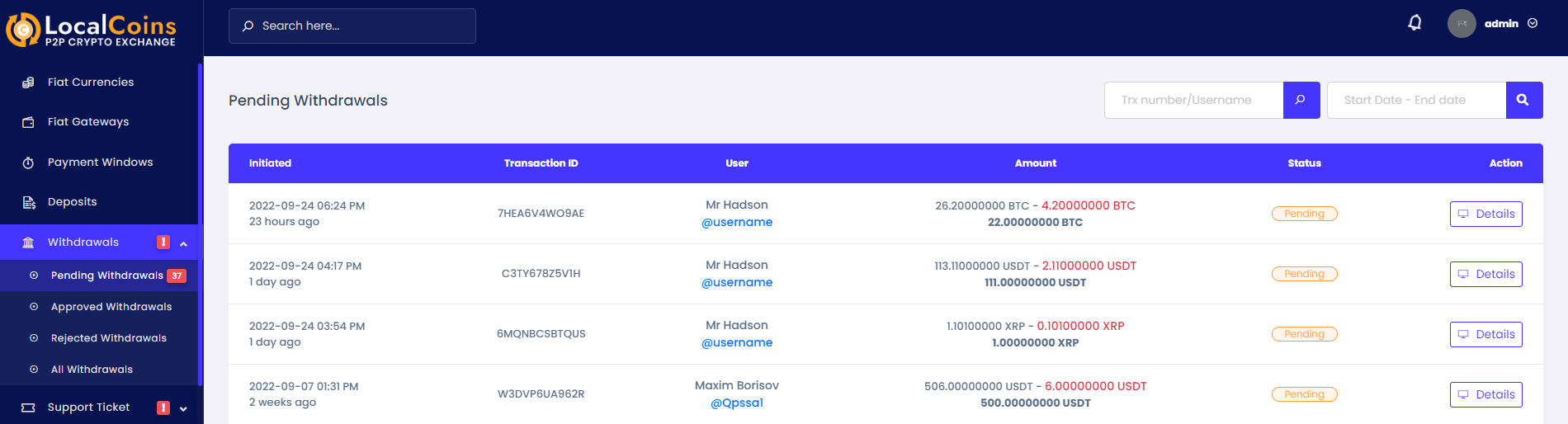
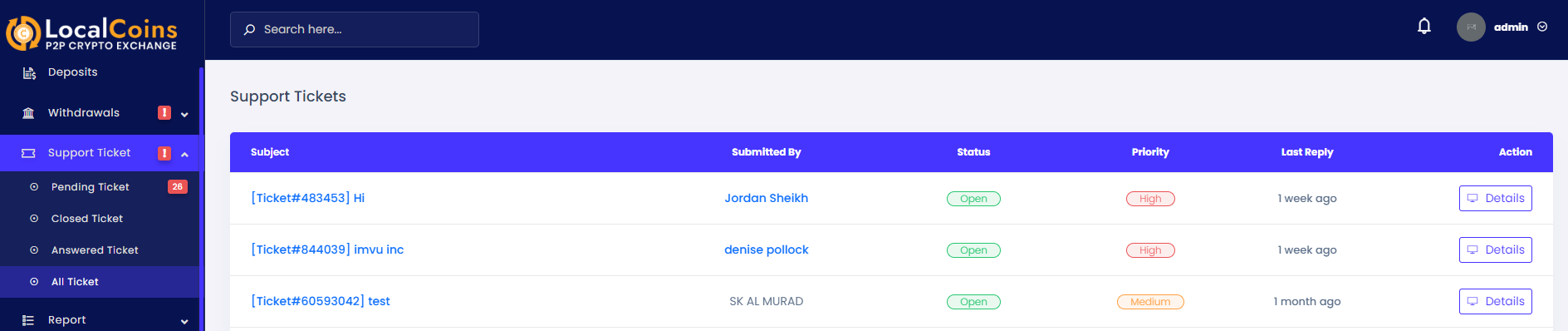
From the Support Ticket menu, admin can manage all support tickets opened by the users. Admin is able to reply or close a ticket from its details page.
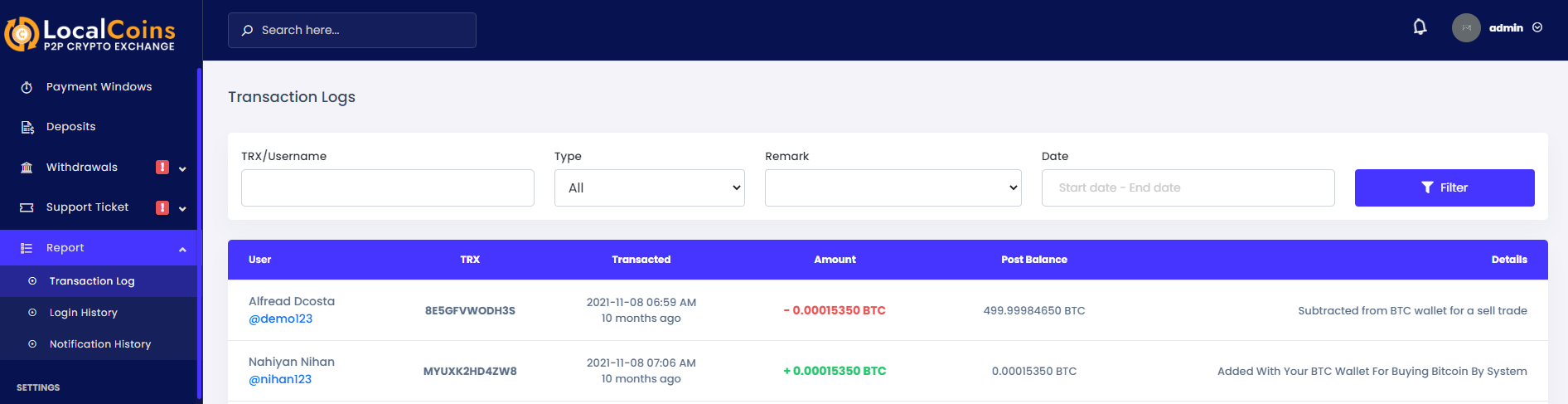
From the Report menu, admin can see the Transaction Log, Login History and the Notification History.
You can set the basic information of your website from the general setting.
Site Title: The name of your website.
Completed Trade Charge: The charge will apply while trading for the user who is selling the cryptocurrency.
Base Color: The base color of your website.
Time Zone: Timezone of your application.

You can set the basic information of your website from the general setting.
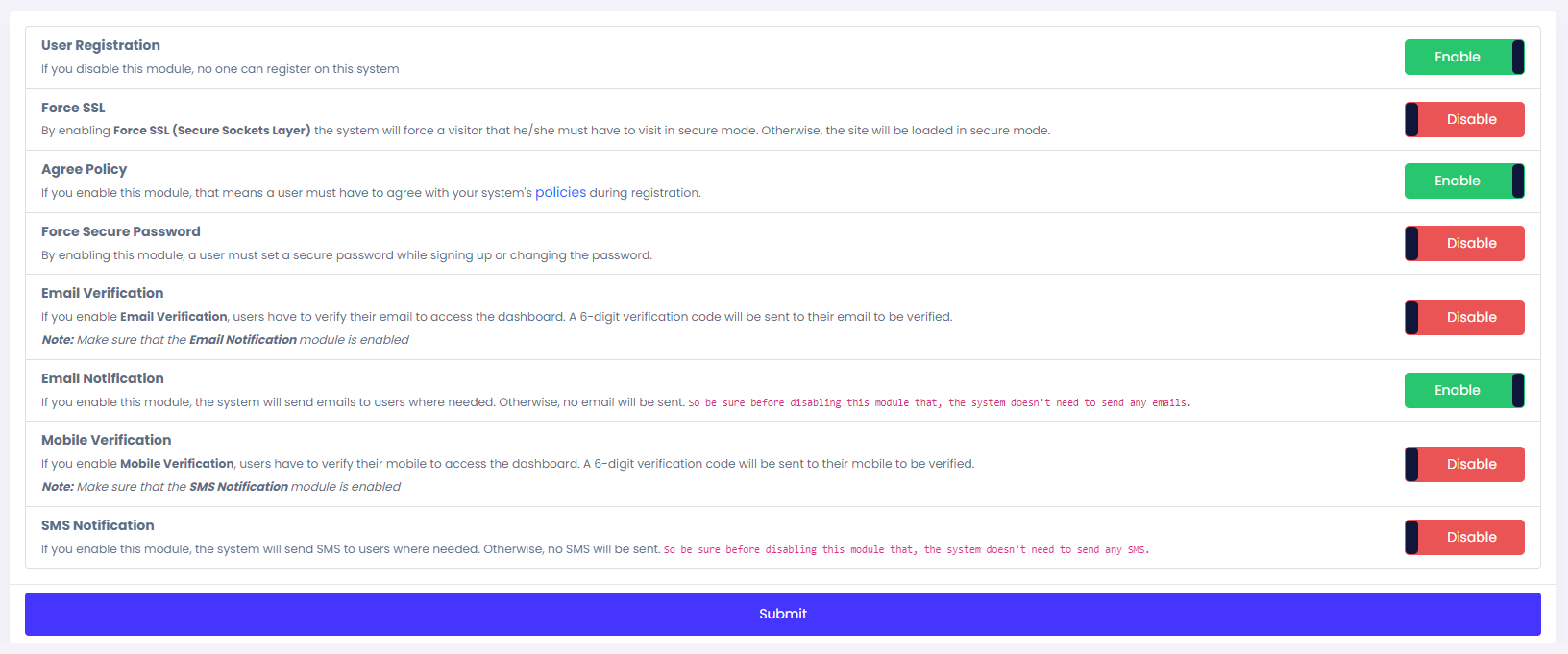
User Registration : You can enable or disable the registration.
Force SSL : If you enable this, that means forcing HTTPS on all traffic.
Agree Policy : If this module enabled, users must have to agree with the system policies during registration process.
Force Secure Password : If this module enabled, users must have to put a strong password.
KYC Verification : You can enable or disable the KYC Verification system.
Email Verification : You can enable or disable the Email Verification system.
Email Notification : You can enable or disable the Email Notification system.
Mobile Verification : You can enable or disable the Mobile Verification system.
SMS Notification : You can enable or disable the SMS Notification system.
Push Notification : You can enable or disable the Push Notification system.
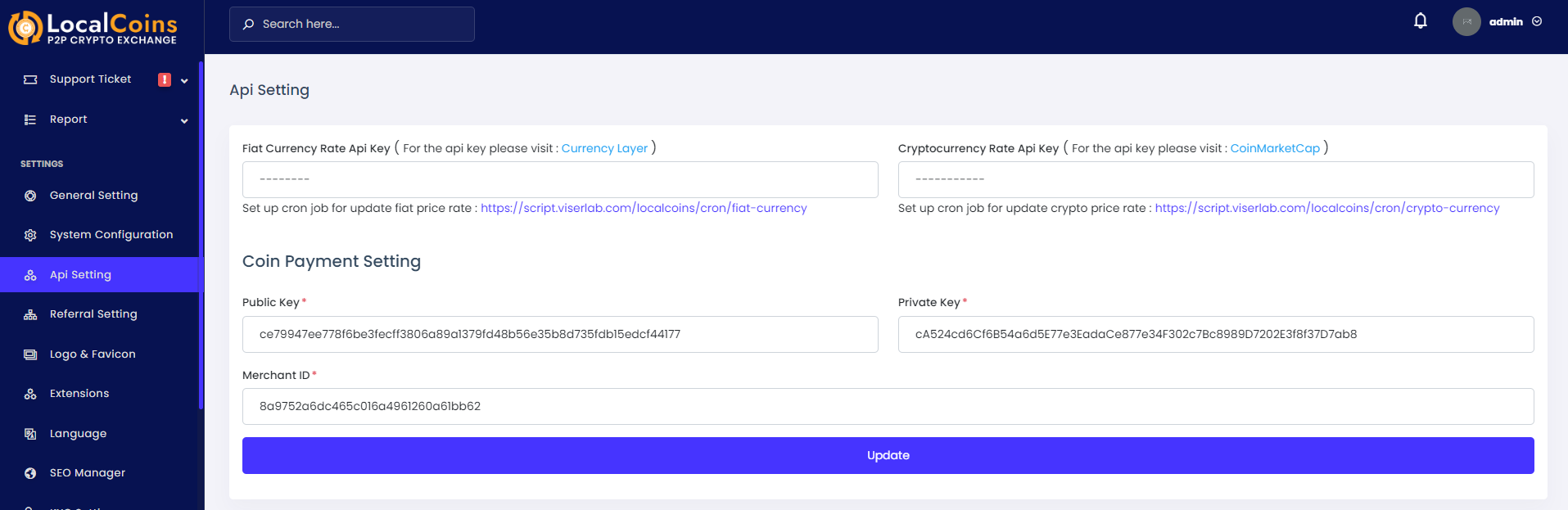
To automate the currency rates and deposit system you we are using some 3rd party API.
Currency Layer: To automatically update the fiat currency rates you need to configure it through the Api Key
CoinMarketCap: To automatically update the cryptocurrency rates you need to configure it through the Api Key
CoinPayment Setting: To automate the deposit process you need to provide your coinpayment credentials.
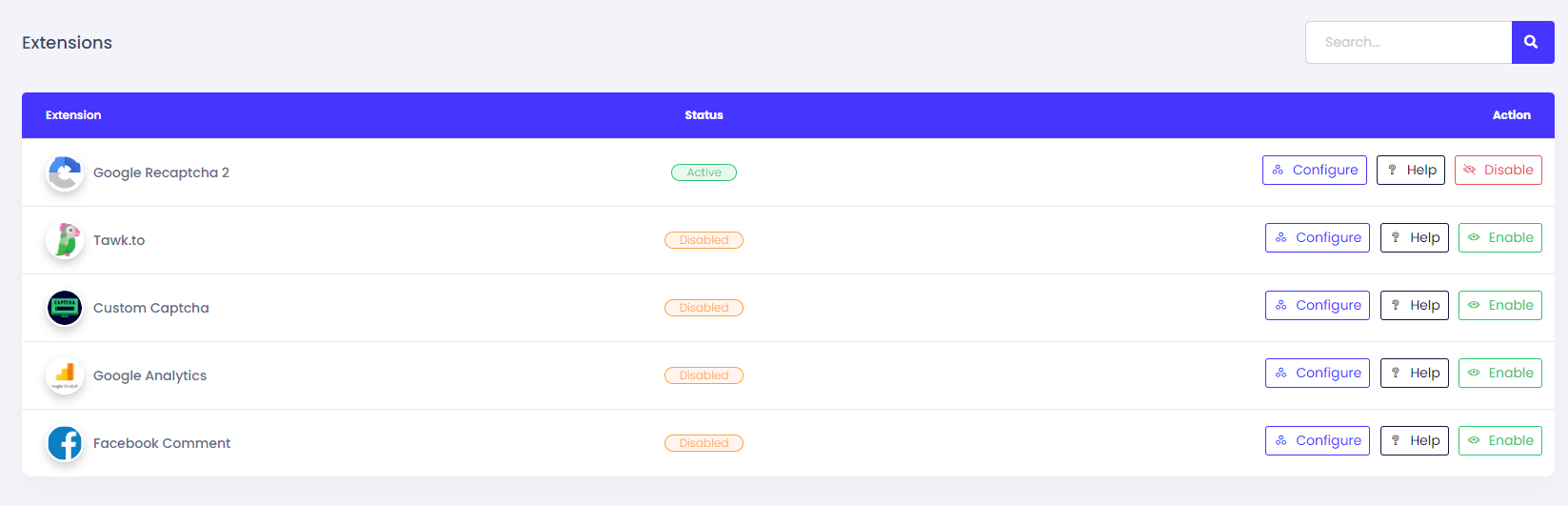
It is a unique feature for you. We have added all the important and required plugins in our admin panel. You will have full control over these plugins and you can configure them as you want.
Google Recaptcha 2: Google Recaptcha 2 is used for protect robotic request to your system. To get google recaptcha 2 credentials Click Here
Tawk.to: Tawk.to is third party live chat platform. You can enable this extension by providing api key from tawk.to
Custom Captcha: This extension also protect robotic attack to your system. This is not third party extension. This is internal extension of our system
Google Analytics: This extension is used to track your visitors. Overview of your web page and visitors are tracked by google analytics. To get credentials of google analytics, Click Here
Facebook Comment: Facebook comment is used to manage blog's comments of our system. If you enable this, a facebook comment box will be shown in blog page. To get credentials of facebook comment, Click Here
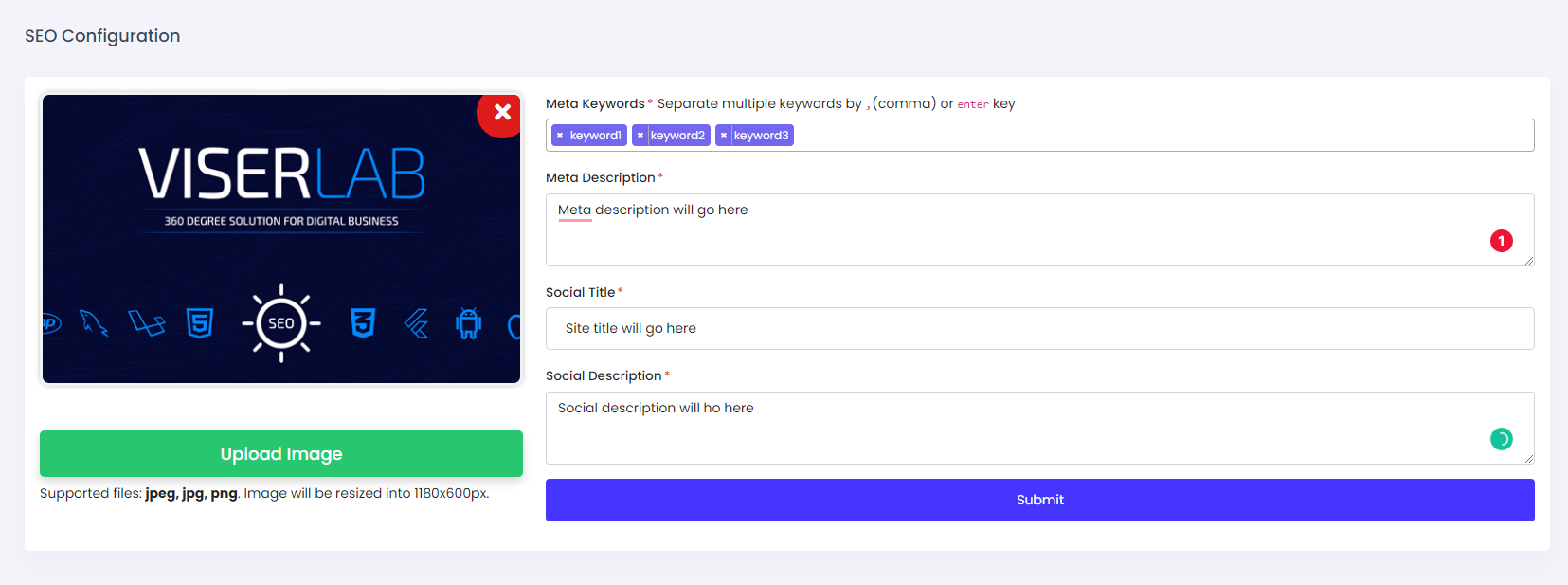
SEO now becomes a very important part of any website, and that is why we have added a simple but powerful SEO manager tool in the admin panel. Now you can set your SEO keywords, meta tag, and OG image from your admin panel without paying anyone. SEO setting is just one-click away.
SEO Image: This image will show when you'll share the site link anywhere.
Meta Keywords: Put here some keywords related to your site. This will help to rank your site to search engines.
Meta Description: This description will show in search engines. Also, related descriptions will help to rank your website in search engines.
Social Title: This title will show when sharing the link to social media.
Social Description: This description will show below the title when sharing the link to social media.
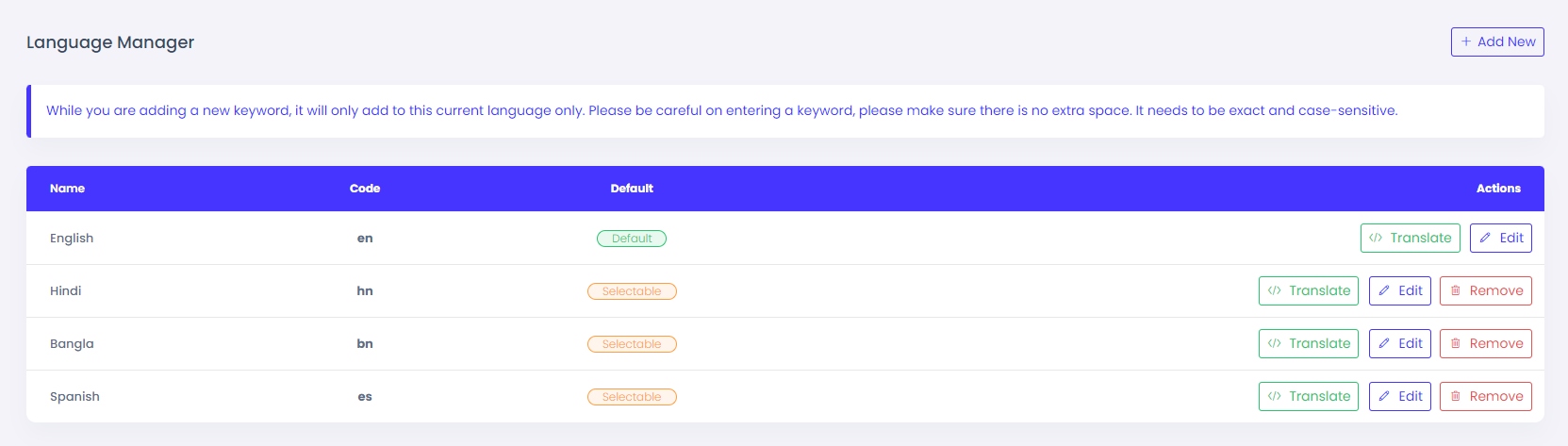
Nowadays, many website owners want to localize their websites. They want to set many languages so users can choose and see the website in their mother language. But they can not set as many other software providers don't give that option Built-in and they charge a high amount of money to set that, In our product, you need not to pay any single penny for that. we include a unique language manager where you can easily set any language within a very short time.
Once again, thank you so much for purchasing this Script. As I said at the beginning, I'd be glad to help you if you have any questions relating to this Script. No guarantees, but I'll do my best to assist. If you have any queries, please feel free to contact us at Support Center.
Email Us: https://viserlab.com/support